Medusa is one of the best online brute-force, speedy, parallel password crackers which is available on the Internet. It has been designed by the members of the website foofus.net. It is also widely used in Penetration testing to ensure that the vulnerability of the system can be exposed and appropriate security measures can be taken against hacking.
Monday, 9 February 2015

Ophcrack
It is a free password cracker software which is based on the effective implementation of the rainbow tables. It runs on a number of Operating Systems like Mac OS X, Unix/Linux and Windows Operating System. It is equipped with real-time graphs for analyzing the passwords and is an open source software. Ophcrack has the capability to crack both NTLM hashes as well as LM hashes.
Password Cracker Software

In the next section you would be getting familiar with some of the popular Password Cracker tools which are used by hackers for password cracking.
Mozilla Thunderbird Free Download
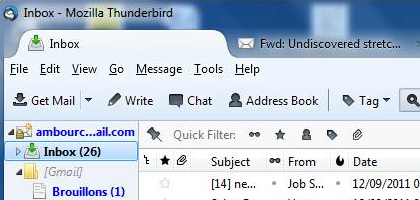
Thunderbird is a free email application. It is an open source, cross platform application. Mozilla Thunderbird suits a lot of users with many different email schemes ranging from custom server-based mail to web-mail users. It’s alternative to Microsoft Outlook Program.

If you are not equipped with an email account at all, Thunderbird lets you create one by using a choice of partner services, which even lets you create an email account using your last name as the domain name, like firstname@lastname.com. That will surely impress all people in your contact list.
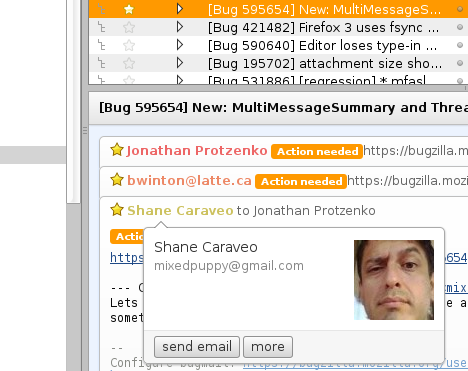
The application also supports conversation view, showing a column of markers indicating which emails are parts of conversations. By clicking on the marker the conversation expands. Composing Email
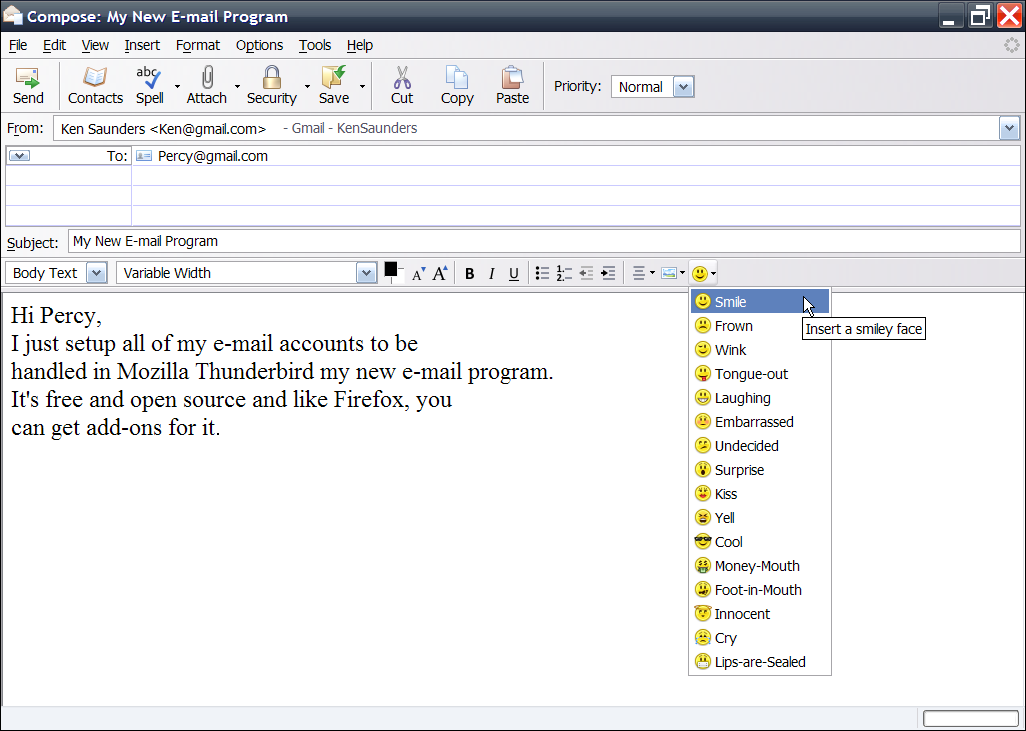
While composing an email, you will acquire all the formatting options you expect in any of the messaging software, like the full choice of fonts, sizes, and colors for your text etc. Thunderbird by default saves your drafts automatically in every 5 minutes.
Composing Email
While composing an email, you will acquire all the formatting options you expect in any of the messaging software, like the full choice of fonts, sizes, and colors for your text etc. Thunderbird by default saves your drafts automatically in every 5 minutes.

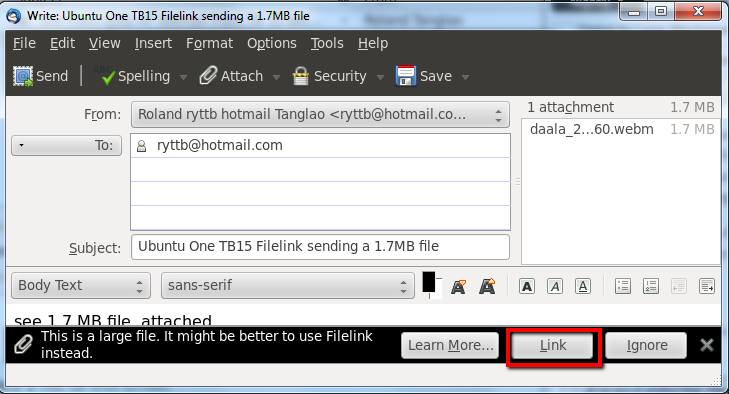
Another convenience in Thunderbird is large file attachments with its Filelink feature. This feature comes into play whenever you try to attach a large file to your email.

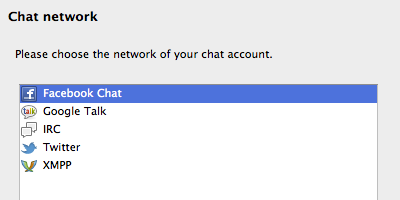
Thunderbird also supports multiple channel chat, you can relish real-time conversation with your contacts, right from your favorite messaging application, with multiple supported networks.

Thunderbird also provide the tabbed email feature. Tabbed email allows you to load multiple emails in separate tabs so you can rapidly jump between them. Tabs appear on the top of the menu bar which provides a significant visual experience. Upon quitting Thunderbird, visible tabs will be saved and will be restored when you open Thunderbird the next time.

Features of Mozilla Thunderbird
Below are wonderful features. You can see these live after Mozilla Thunderbird Free Download.
- Personalized Email Addresses.
- Tabbed Emails.
- Multiple Channel Chat.
- Attachment reminder.
- Large files management.
- Smart Folders.
- Open source.
- Automated update.
- Activity manager.
- Phishing (act of attempting to acquire information such as usernames, passwords, and credit card details) protection.
- Junk protection.
Mozilla Thunderbird System Requirements
Before you start Mozilla Thunderbird Free Download make sure that you system meets the minimum system requirements.
- Operating Systems:Windows 2000, XP, Server 2003, Vista, Windows 7
- Processor: Pentium 233MHz
- RAM: 768MB (for XP, Vista and Windows 7) 256MB for Windows 2000
- Hard Disk Space: 52MB
Technical Setup Details For Mozilla Thunderbird
- Software Name: Thunderbird 24.0.1
- File name: Thunderbird Setup 24.0.1.exe
- Setup Full Size: 21.12 MB
- Latest Updated Date: 27 Oct 2013
- Developers: Mozilla

Mozilla Thunderbird Free Download
Click on below button to start Mozilla Thunderbird download. This is complete offline installer and full standalone setup forMozilla Thunderbird. This will work for both 32 Bit and 64 Bit windows. It’s Latest Version Release of Thunderbird Email software.
Cisco Packet Tracer 6.1 Free Download
Cisco Packet Tracer 6.1 Free Download Latest Version for Windows. It is full offline installer standalone setup of Cisco Packet Tracer 6.1 for 32 bit 64bit.
Cisco Packet Tracer 6.1 Overview
Cisco Packet Tracer 6.1 is a utility that can be used by students to train themselves in CCNA and CCNP by permitting them to create networks by utilizing unlimited number of devices. By using this application you don’t need to buy Cisco routers for experiencing troubleshooting. Cisco Packet Tracer 6.1 has different capabilities of visualization, authoring and collaboration and provides facilities for learning some complicated technological concepts. In the month of June this year Cisco has released their new version Cisco Packet Tracer 6.1. The version has been released in student and instructor packages. There have been some new features introduced in Cisco Packet Tracer 6.1 and some of them are as follows there is a n introduction of new service tab. In previous versions config and service tabs were jelled in one tab but now service has its own tab. Some new server desktop applications like Netflow collector and AAA accounting have been included. IPv4 and IPv6 which in previous versions were parts of Service tab have now been shifted as desktop applications. You can also Download Cisco Packet Tracer 6 which was previous version.
 On a conclusive note we can say that Cisco Packet Tracer 6.1 which is free of cost application provides simulation based environment which helps students learn the skills like decision making and critical thinking.
In the month of June this year Cisco has released their new version Cisco Packet Tracer 6.1. The version has been released in student and instructor packages. There have been some new features introduced in Cisco Packet Tracer 6.1 and some of them are as follows there is a n introduction of new service tab. In previous versions config and service tabs were jelled in one tab but now service has its own tab. Some new server desktop applications like Netflow collector and AAA accounting have been included. IPv4 and IPv6 which in previous versions were parts of Service tab have now been shifted as desktop applications. You can also Download Cisco Packet Tracer 6 which was previous version.On a conclusive note we can say that Cisco Packet Tracer 6.1 which is free of cost application provides simulation based environment which helps students learn the skills like decision making and critical thinking.Features of Cisco Packet Tracer 6.1
Below are some noticeable features which you’ll experience after Cisco Packet Tracer 6.1 free download.
- Can be used for CCNA and CCNP training purposes.
- Can create networks by utilizing unlimited number of devices.
- A new service tab introduced.
- Netflow collector and AAA accounting have been included as new server applications.
- IPv4 and IPv6 have been shifted as desktop applications.
- Can develop skills like decision making and critical thinking.

Cisco Packet Tracer 6.1 Technical Setup Details
- Software Full Name: Cisco Packet Tracer 6.1
- Setup File Name: Cisco_Packet_Tracer_6.1_for_Windows.exe
- Full Setup Size: 165 MB
- Setup Type: Offline Installer / Full Standalone Setup
- Compatibility Architecture: 32 Bit (x86) / 64 Bit (x64)
- Latest Version Release Added On: 24th Oct 2014
- License: Free Trial
- Developers: Cisco

System Requirements For Cisco Packet Tracer 6.1
Before you start Cisco Packet Tracer 6.1 free download, make sure your PC meets minimum system requirements.
- Operating System: Windows XP/Vista/7/8
- Memory (RAM): 256MB of RAM required.
- Hard Disk Space: 250MB of free space required.
- Processor: 500MHz Intel Pentium III or later.
Cisco Packet Tracer 6.1 Free Download
Click on below button to start Cisco Packet Tracer 6.1 Free Download. This is complete offline installer and standalone setup for Cisco Packet Tracer 6.1. This would be compatible with both 32 bit and 64 bit windows.
Cisco Packet Tracer

Cisco Packet Tracer is a powerful network simulation program that allows students to experiment with network behavior and ask “what if” questions. As an integral part of the Networking Academy comprehensive learning experience, Packet Tracer provides simulation, visualization, authoring, assessment, and collaboration capabilities and facilitates the teaching and learning of complex technology concepts.
Packet Tracer supplements physical equipment in the classroom by allowing students to create a network with an almost unlimited number of devices, encouraging practice, discovery, and troubleshooting. The simulation-based learning environment helps students develop 21st century skills such as decision making, creative and critical thinking, and problem solving. Packet Tracer complements the Networking Academy curricula, allowing instructors to easily teach and demonstrate complex technical concepts and networking systems design.
The Packet Tracer software is available free of charge to Networking Academy instructors, students, alumni, and administrators who are registered NetSpace users.
Download Instructions
To download Packet Tracer, sign into Cisco NetSpace and select CCNA > Cisco Packet Tracer from the Offerings menu.
Resources
- At-A-Glance (PDF)
Packet Tracer Skills Assessments

Cost Break Down for the New GNS3 Crowdfunding

Notes:
The Project Manager will receive no compensation from the Crowdfunding Campaign.
The Software Development Manager will receive no compensation from the Crowdfunding Campaign.
Office Space has been Subsidized by the Government of Alberta and Innovate Calgary.
Overview:
All funds received from the Crowdfunding Campaign will go directly towards creating the New GNS3 Software. The majority of the funds will go towards hiring a full time developer to work along side our Software Development Manager and Project Manager. This cost will be $5000 per month, which is the average price for a Python Developer in the city of Calgary.
The second cost is our Lab Creation Team. This equals $3500 per month. This team has been sourced from our own GNS3 community and will work full time on creating Labs for the current and new version of GNS3.
The third cost is for a quality UI developer who will work on the online interface for the new GNS3 software. We have budgeted three months at $6000 per month. This is lower than average wage for a UI developer in the city of Calgary.
File Hosting and Server costs are for the secure storage and retrieval of the new GNS3 software. This will be where Early Access members will be able to download the software.
Timeline:

This timeline is based on achieving our fundraising goal. With one full time Python Developer, we will be able to develop one key feature at a time. This will be determined by our Early Release Group. We have budgeted 3 months per feature to build, implement, test, and refine. Details on the features can be found below.
If we beat our Goal, we will be able to hire more developers. The more developers we have, the more projects we can have on the go at the same time.
If we receive additional funding, it will go towards the creation of GNS3 Training products as well as a full time support team.
Duration from Start to finish is planned to be 12 months.
Features:
Switching
Switching has been a feature that GNS3 users have been long waiting for. GNS3, as of right now, has limited Switching functionality. New technology that we are implementing into GNS3 will allow us to incorporate approximately 90% of switching features.
Some features are technologically impossible to emulate.
Using the new technology, we will be able to allow GNS3 users to easily access switching functionality.
Switching has been proven within our current and new software systems and will be ready for release in February.
On Demand Cloud Processing
GNS3 is often limited by to computer/laptop it is running in. This can be a problem when working with larger topologies or wanting to make quick updates to existing networks. We are able to mitigate these limitations by connecting to high quality Cloud Services like Amazon Web Services and Google Cloud Services.
This technology has been proven in both our old and our new versions, but incorporating cloud technologies into the current GNS3 is complicated and time consuming.
We currently have Two Major and One Minor method to incorporating Cloud Tech into GNS3. We will be consulting with our Early Release Members to figure out what is the best approach for our user base.
Development of this functionality will be done with our new Python Developer as well as our Software Project Manager.
Hassle Free Configuration
This is something we are most proud of working towards. While there are a couple of variables we are working out – if we succeed at this – it means that our users will no longer have to supply their own IOS images or other network licenses.
We are currently working with many top network and network augmenting companies to incorporate more hardware and tools into GNS3.
Once this is completed, we will also have an Online User Interface in which anyone will be able to quickly make configurations right from their web browser. This is a project that can be split into stages (development and implementation) as we make more partner deals with networking companies.
The technology has been proven for this, we are just working out the legality issues for partnership deals.
A UI Developer, along with our Python Developer and Software Project Manager will develop this.
Labs and Training
GNS3 wants to be your All-In-One training tool. With our training and labs, you will be able to get both the theoretical and the practical side of training for your network certifications.
Currently we are building out our team who will create training labs full time for all network certifications compatible with GNS3.
If we reach our stretch goals, we will be able to create a full training platform with videos, labs, and tutorials for those training for network certifications.
This will be developed by the Lab Creation Team and the Project Manager.
3rd Party Software Integration
GNS3 will be a framework in which you will be able to integrate a multitude of different 3rd Party software tools into it. Imagine being able to monitor your current network while modeling future expansions through our emulations all while discovering ways to optimize your network.
This is what we want for GNS3. An All-in-One tool that can service the various needs of a multitude of roles.
This is dependent on partnerships within the networking community and will be an on going process.
Conclusion:
If we reach our goal of raising $35,000, we will have enough capital to successfully complete the launch of the new software within one years time. The remaining funds needed for the project will come from Government and Educational Institutions. The funds raised in the Campaign will be matched by these entities allowing us to complete the project. Additional funding will shorten the launch cycle while also increasing the amount of extra features we can include within GNS3 or supplement the use of GNS3.
If you are interested in getting Early Access to the New GNS3 software and want to contribute, please visit http://new.gns3.net
Subscribe to:
Posts (Atom)